Home › Technology
What goes up at your gate, and what it needs.
The details of the TapIsla module, the options for internet at the gate, and what you need to get started. No sales pitch.
- WiFi 2.4 GHz
- Encrypted (TLS)
- Any motor with a dry contact
The WiFi module
One module, WiFi only. SMS is a choice.
A WiFi module that switches the dry contact on your gate motor. No WiFi at the gate? We supply a MiFi hotspot or Teltonika 4G router. SMS is optional.
What you need to get started
Internet at the gate
A WiFi network that the module can reach. If there is none, we supply a MiFi hotspot or an industrial Teltonika 4G router.
A motor with a dry contact
The connection where a push button normally goes. Almost every gate motor has one, whatever the brand or age.
Power from the motor enclosure
12–24 V from the motor's enclosure. No separate socket and no separate meter.
SMS or not?
Why SMS is unnecessary with a good internet connection.
SMS was a workaround for when calling stopped working. As long as the module and the user's phone both have internet, that detour over the messaging network is not needed.
Without SMS
- Opens over the internet, typically in under a second
- No cost per opening
- Every opening in the log: who, when, and how
- One connection to manage and monitor
With SMS
- An extra safety net if the internet connection at the gate drops
- Needs a SIM card with coverage at the gate
- Every SMS is billed per message
- By arrangement, not a standard part
Is the internet at the gate unreliable?
Then a better connection, such as a Teltonika 4G router, is usually stronger than adding SMS. If SMS still makes sense, we will work out what is possible. Your remote or key switch keeps working either way.
Internet at the gate
No WiFi? We supply the connection.
The module always connects over WiFi. Where that WiFi comes from is up to you: your own network, or a MiFi hotspot or industrial Teltonika 4G router from us.
Your own WiFi
If your WiFi network reaches the gate, nothing extra is needed. This is the simplest and cheapest setup. A WiFi extender or access point can widen the range.
MiFi hotspot
A compact mobile WiFi hotspot with a regular 4G data SIM. Handy for smaller or temporary situations without an existing network. An instruction is only a few hundred bytes, so a small data bundle is enough.
Industrial Teltonika 4G router
For a permanent setup at the gate. Industrially built, with a wide power input range and remote management through Teltonika RMS. Works with a regular 4G data SIM, the same technology as your phone.
| Own WiFi | MiFi hotspot | Teltonika 4G router | |
|---|---|---|---|
| Suited to | Gates within range of existing WiFi | Small or temporary situations | Permanent installation without own internet |
| Internet via | Your own subscription | Mobile data (4G) | Mobile data (4G) |
| Power | n/a | Battery or USB | Wide DC range (9–30 V), for example from the motor enclosure |
| Build | n/a | Consumer device | Industrially built |
| Extra cost | None | On request | On request |
We quote prices for a MiFi hotspot or Teltonika router and the matching data SIM per site. Ask us.
Specifications
The TapIsla WiFi module at a glance.
- ConnectivityWiFi 2.4 GHz
- InternetOwn network, MiFi hotspot or Teltonika 4G router
- SMSOptional, by arrangement
- OutputVoltage-free relay contact (NO/NC)
- Power12–24 V from the motor enclosure
- CommunicationEncrypted (TLS) to the TapIsla server
- Command securityEach command is valid briefly and works only once
- StatusOnline or offline per gate, visible in the portal
- SetupBuilt-in settings page on the module, from a phone or laptop
- Response timeTypically under a second over WiFi
- AccessPersonal account, linked to one device
- UsersUp to 20, 50, 100 or 200 depending on your plan; custom above that
- LogWho opened it, when, and how
- ManagementPortal in the browser, with a shortcut on your home screen
- Works withAny gate motor with a dry contact
- Service areaBonaire, Curaçao, Aruba, St. Maarten, Saba and St. Eustatius
Hardware changes may adjust these details. Not sure something fits your gate? Send us a photo of your motor enclosure.
The hardware
What it looks like.
Photos of the module, the wiring and the options for internet at the gate, with a short explanation.
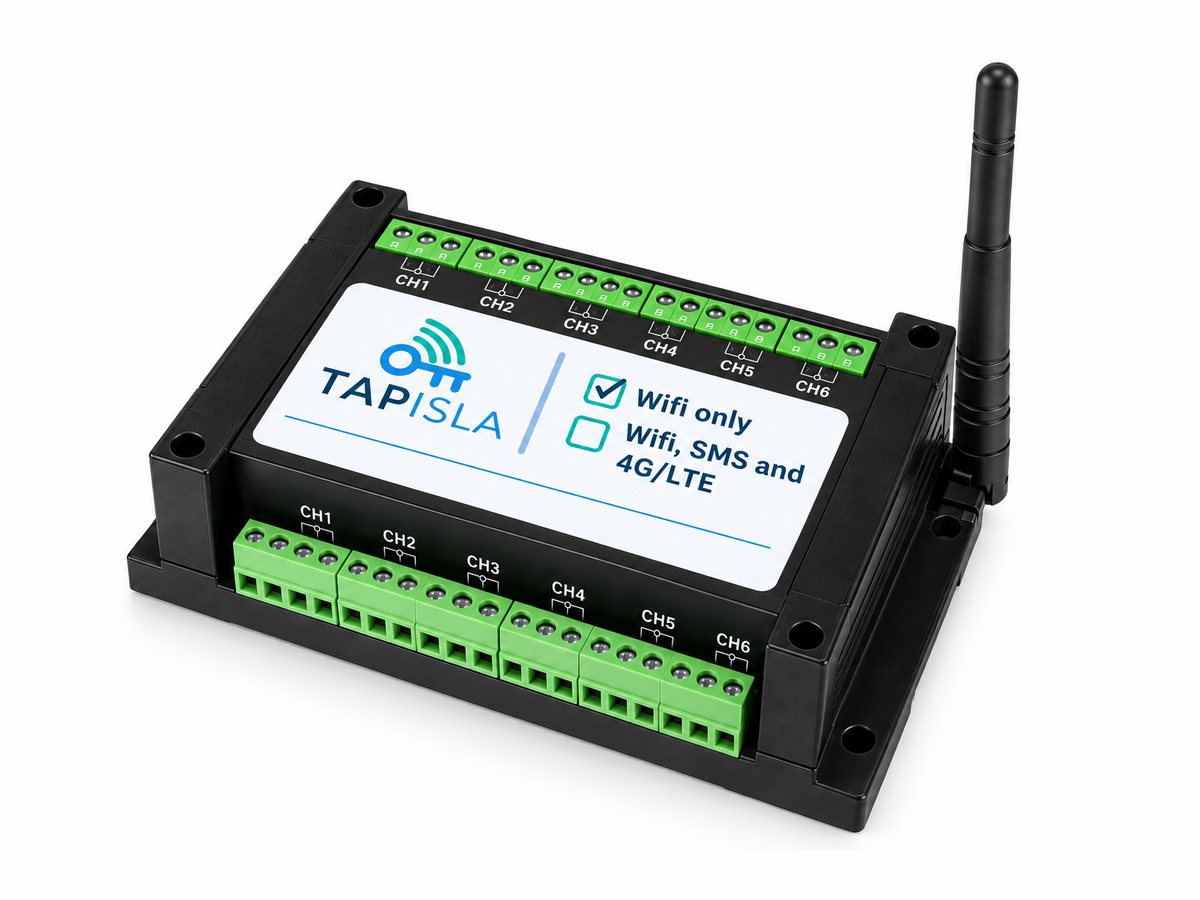
The TapIsla WiFi module
The module goes in or next to your gate motor's enclosure. Power in, potential-free relay contacts out (six channels on this version) and a WiFi connection to the portal. External antenna for a strong signal.
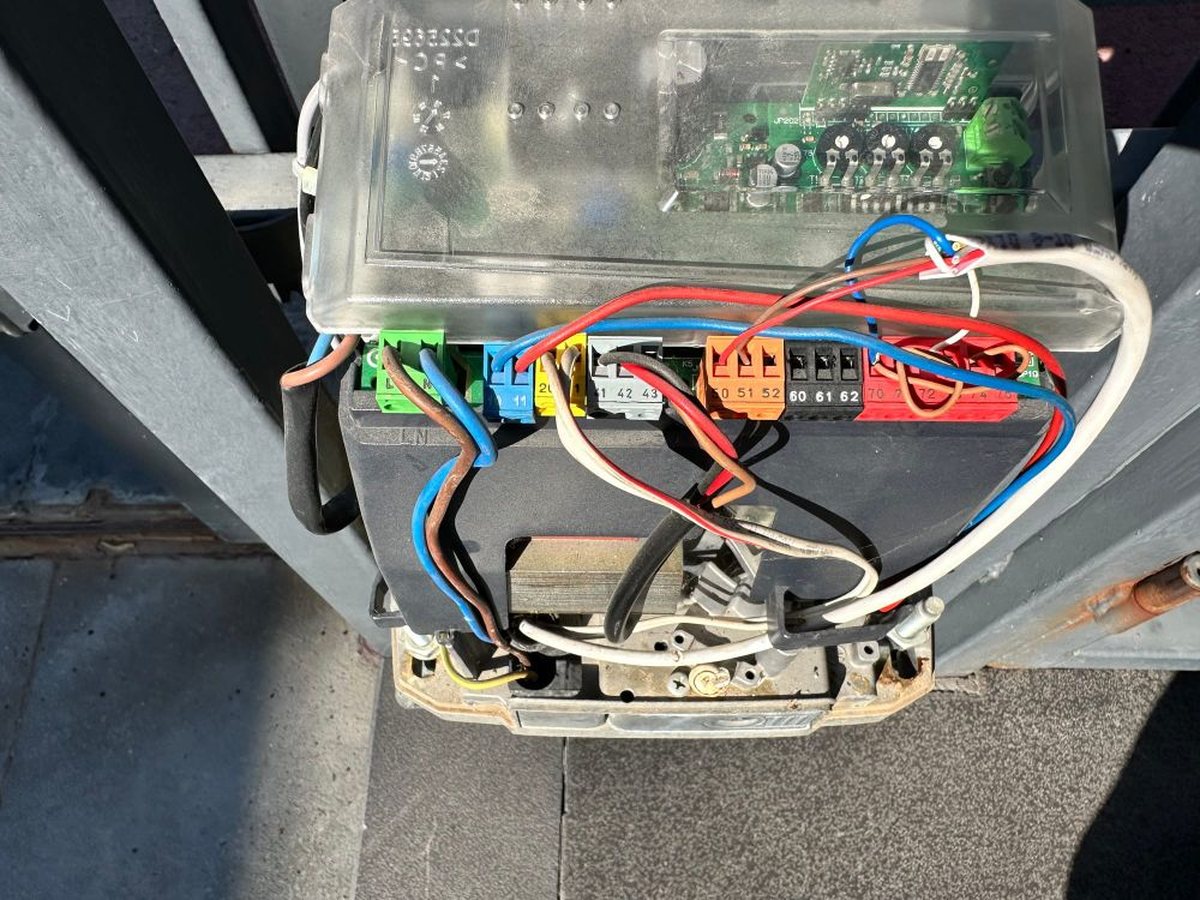
Wiring to the motor
Two wires to the terminal where a push button normally goes, here on the board of an existing gate motor. To the motor, an instruction cannot be told apart from a press on that button.
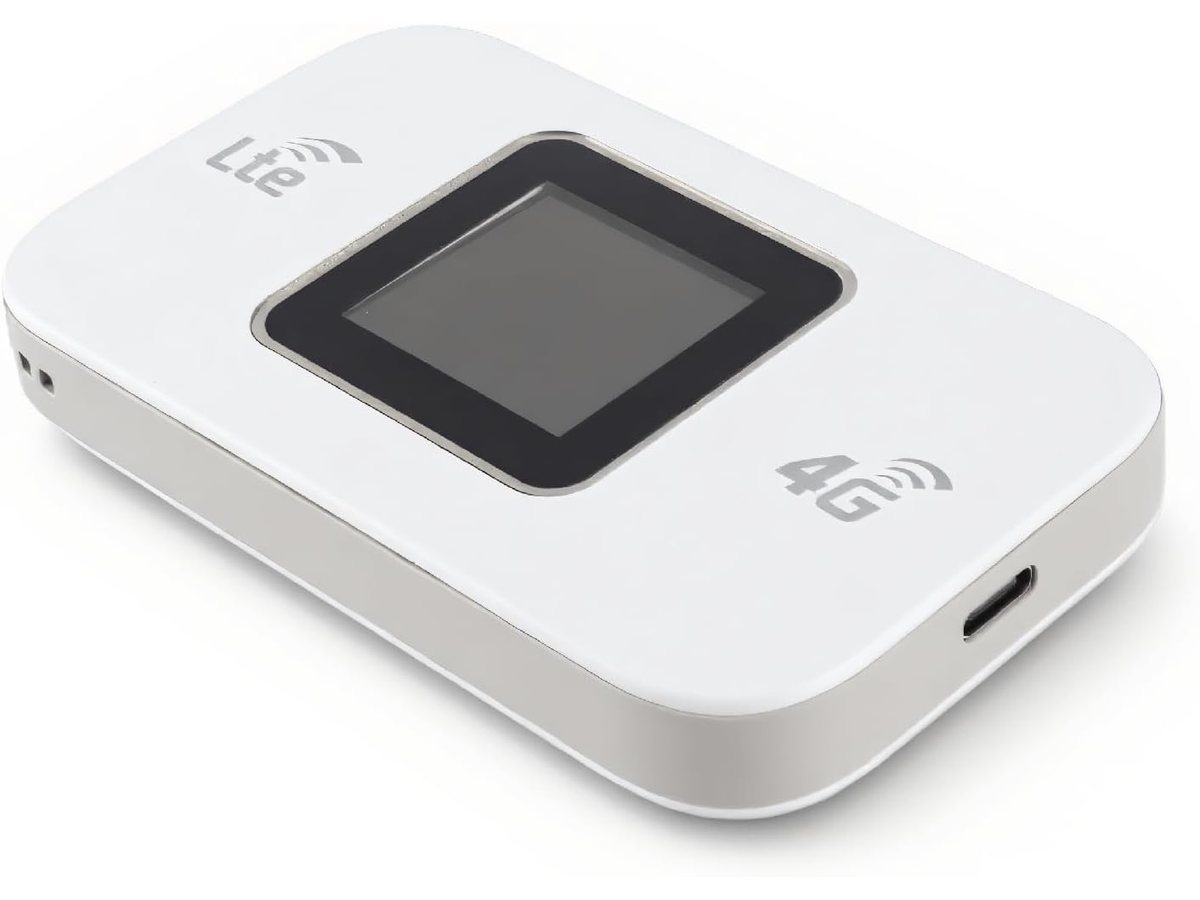
MiFi hotspot
For sites without their own internet: put a SIM card in it and it creates a WiFi network that the module connects to. Powered over USB-C.
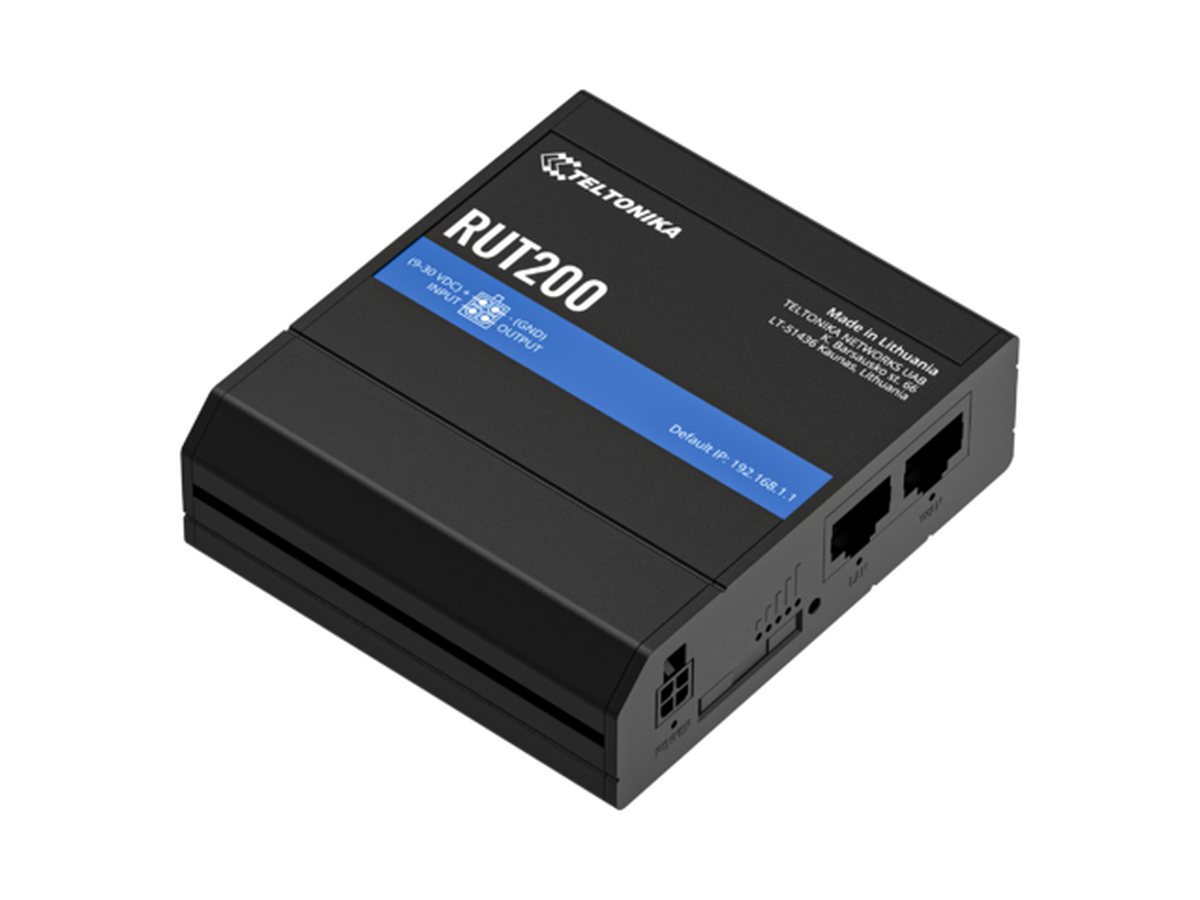
Industrial Teltonika 4G router
For a permanent setup, for example the RUT200. Industrially built, 9 to 30 V supply and remote management.
Questions about the technology?
Ask away. Or browse the FAQ, which also explains how to put the gate button on your home screen.